Coming soon · Release date: November 13, 2026
UpdatedWarrior Quest Torches: Where to Buy and How Restocks Work
Warrior Quest torches are sold at the town market, two per restock. Learn how to stock up, compare wares, and pack smart before you delve into the dungeon.
Jump to
Where to Find Torches in Town
Running dry on supplies halfway through a goblin-infested crawl is a fast way to end a run badly. Knowing exactly how Warrior Quest torches reach the shelves lets you plan every trip out of Crowhollow instead of hoping the market has what you need. The town market is where they show up.
Since Demo Update 1.5, the market stocks two torches per restock. You can't buy a crate of them in one visit, so treat each restock as a chance to top up.
- Check the market every time you return to town, even if you aren't shopping for anything else.
- Buy both torches whenever they're in stock, as long as your gold allows.
- Plan longer delves around how many torches you're carrying, not around how many you could buy later.
Comparing Wares at the Salesman
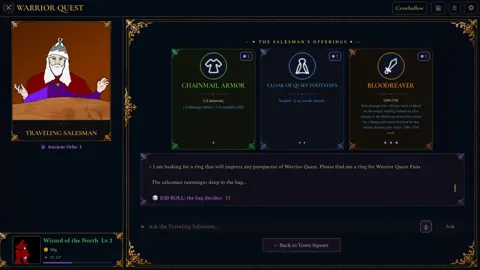
The shop interface has improved a lot over the demo's patch cycle, which makes quick torch runs less of a chore.
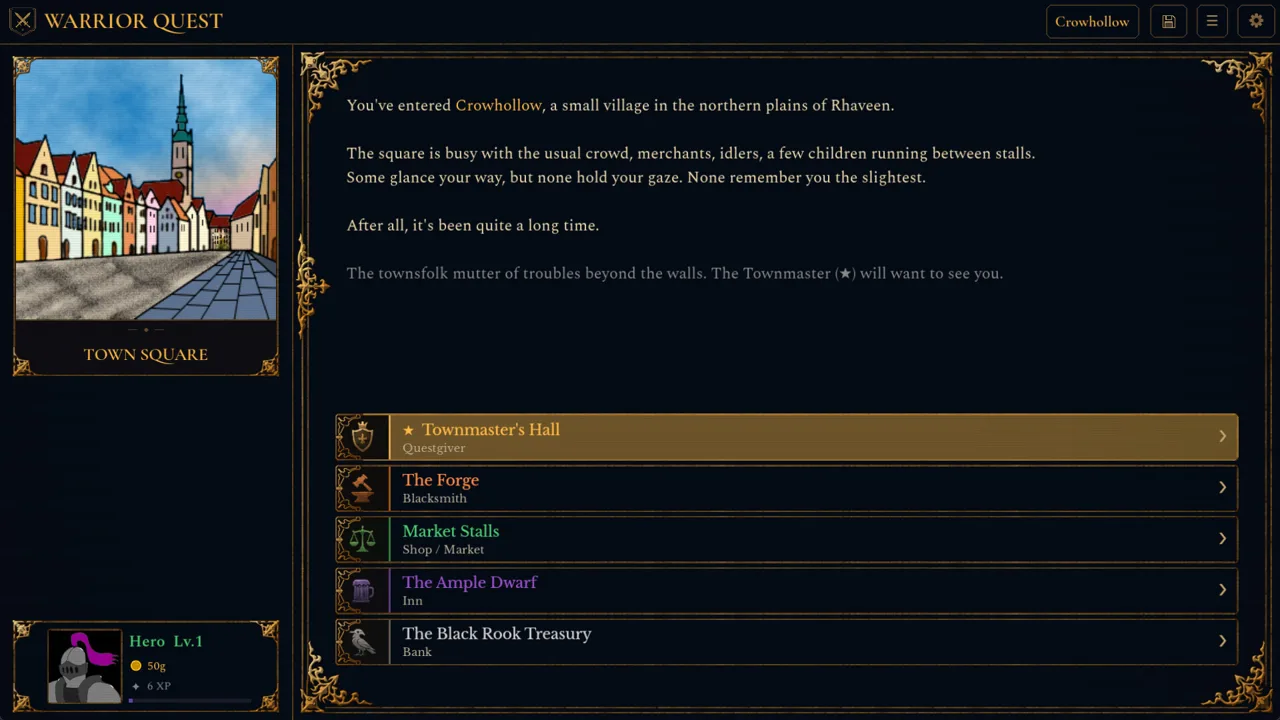 Image: Steam / Wizard of the North
| Update | Date | Shopping change |
|---|---|---|
| Demo 1.4 | September 2026 | Hover over loot names to preview descriptions and stats |
| Demo 1.5 | September 2026 | Market stocks two torches per restock |
| Demo 1.10 (includes 1.9b) | October 16, 2026 | Gold display added to the inventory and made clearer on the hero panel |
| Demo 1.11a | October 18, 2026 | The salesman's item cards use rarity colors and symbols |
Use the rarity colors and symbols to scan the salesman's stock quickly. Torches are utility gear, so spot them, grab them, then spend whatever gold is left on rarer wares. Check your gold in the inventory before committing to a big purchase so you don't leave the torches behind for something flashier.
The same 1.5 patch also raised the Scroll of Magic Missile's gold value from 1 to 8, and Demo 1.10 improved several item and shop descriptions, so read the cards before you buy.
Packing Your Inventory for a Delve
Space isn't the problem it used to be. Demo 1.5 raised inventory capacity from 255 to 500 slots, so carrying torches alongside potions, scrolls, and loot won't crowd out anything important. Since Demo 1.10, inventory and gifting lists also scroll with keyboard selection, which makes sorting a full pack quicker.
 Image: Steam / Wizard of the North
Companions matter here too. Since Demo 1.6, they carry their own gold and items, including what they bring when recruited and any gifts you hand them. Fallen companions are remembered where they fell, and their recovered belongings show up on the victory card (Demo 1.10).
- Keep your own torch supply on your hero rather than relying on a companion's pack.
- Gift spare supplies to a companion before a risky push if you want a backup stash.
- Leave a dungeon through its entrance to see a summary of unfinished objectives, then decide whether it's worth heading back in for a restock first.
Exploring the Dungeon
How you move through a dungeon affects how long you spend in it. Demo 1.5 added three exploration modes — Balanced, Stealth, and Investigative — selected from the Mode button under Special:
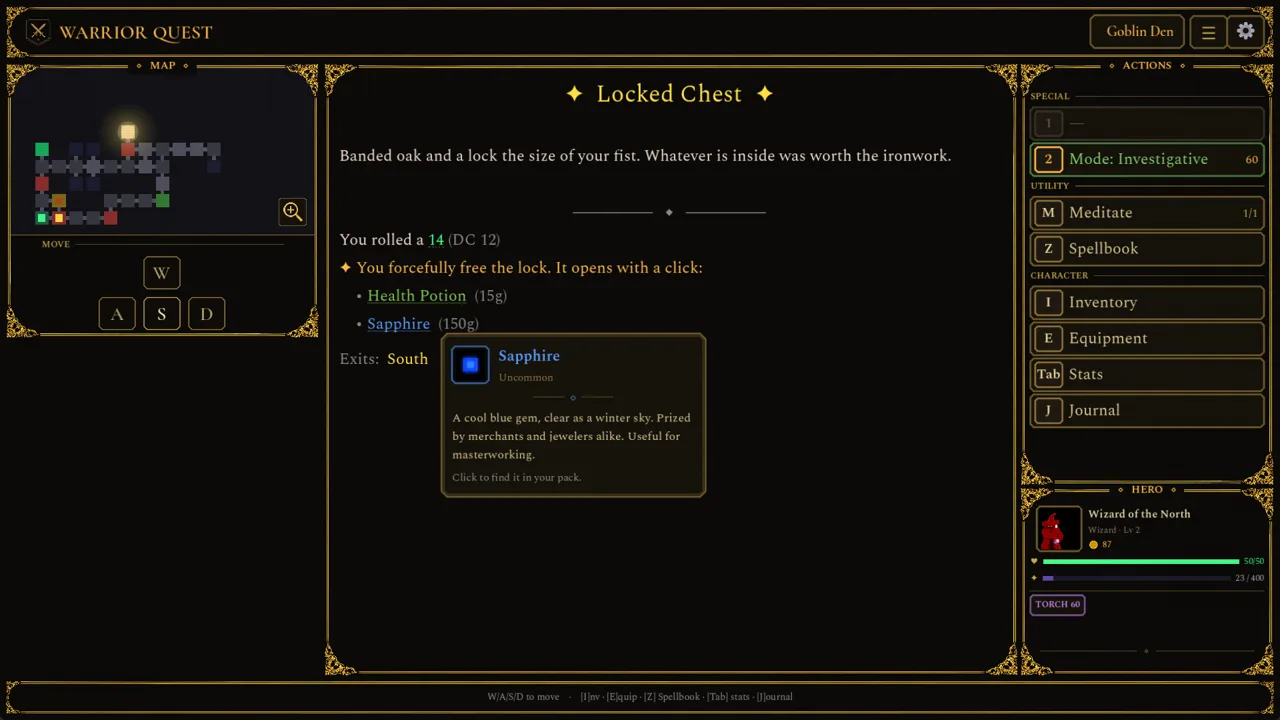 Image: Steam / Wizard of the North
- Stealth: automatically attempts to sneak past creatures, but takes more time per step.
- Investigative: helps you spot traps, also at the cost of extra time per step.
Slower modes mean longer delves. If you're planning a careful Investigative sweep of a reworked Goblin Den, with its branching paths and loops, stock up fully at the market before you go.
Getting Started
The full game launches on November 13, 2026, for Windows, macOS, and Linux. The free demo covers Act I, runs about an hour, and your save carries over to the full release. Grab the demo or wishlist the game on the Warrior Quest Steam page.
Continue with
 Warrior Quest Armor Guide: Gear, Forge Upgrades and LootWarrior Quest armor explained: starting gear, forge upgrades, the traveling salesman's rarity cards, and how to loot or bargain your way to better gear.
More in Items
Warrior Quest Best Weapons: Early Tier List for Act I
Warrior Quest best weapons ranked: the 2d8 Keen Strike weapon, forge-upgraded swords, hard-hitting abilities, and the dirty tricks that win Act I fights.
Warrior Quest Charms Guide: Rings, Trinkets and Merchants
Warrior Quest charms guide: where to find rings, necklaces and trinkets at the forge and the wandering merchant's wagon, plus loot tips. Then roll well.
Warrior Quest Chest Guide: Locks, Traps, and Loot Tips
Every Warrior Quest chest is a dice roll. Learn how locked and trapped chests work, when to smash or pick a lock, and how rerolls save your best loot.
Warrior Quest Items Guide: Gear, Loot, Gold and Chests
Our Warrior Quest items guide covers shops, chests, lockpicks, gold, bribes and companion gear in Crowhollow. Learn how to loot smarter before you roll.
Join the community
Official channels for news, updates and player help: