Coming soon · Release date: November 13, 2026
UpdatedWarrior Quest Companions: How to Recruit and Keep Allies
Learn how Warrior Quest companions work: recruit unlikely allies in your own words, manage their gear and rations, and keep them alive in the dungeon.
Jump to
How Recruiting Works
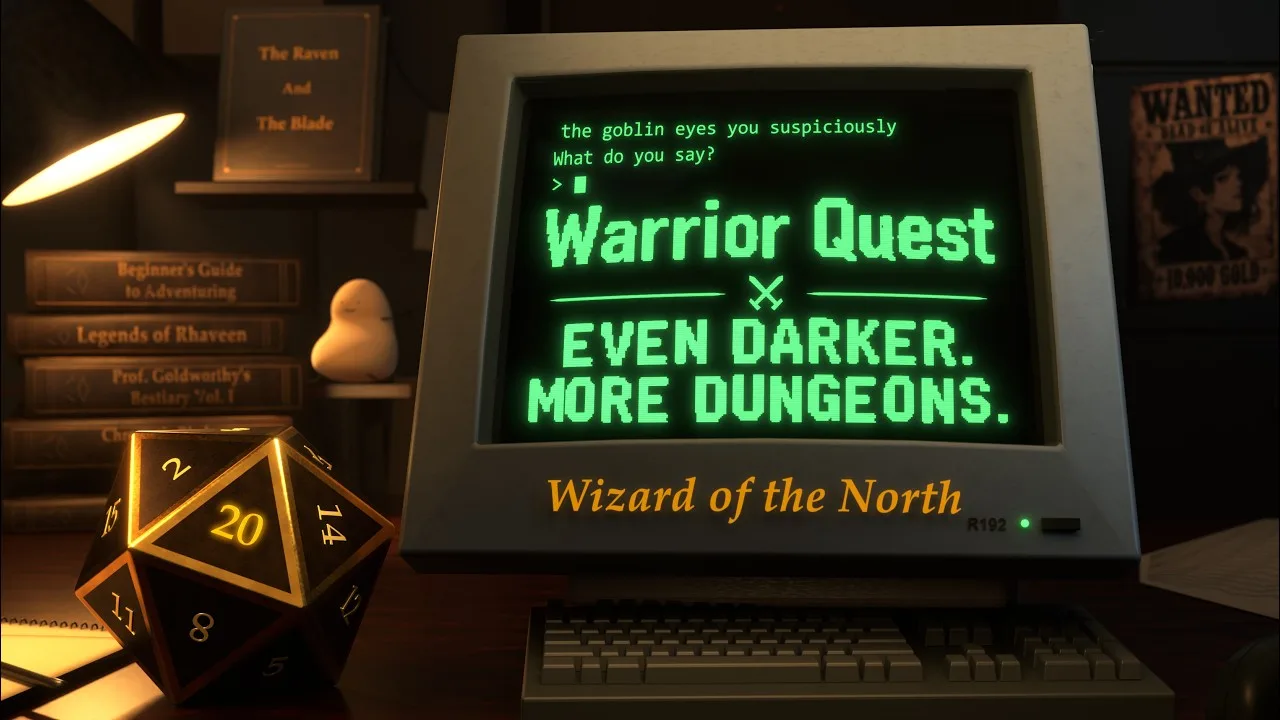
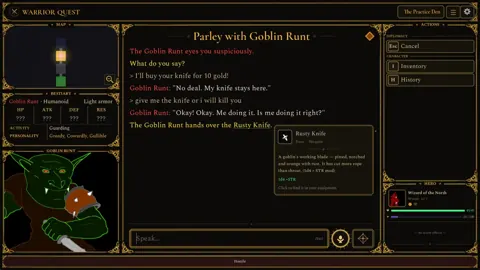
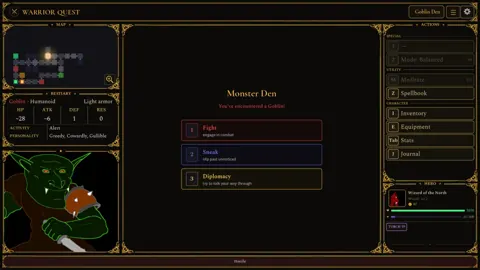
Picture a goblin that was guarding a door a minute ago and is now walking beside you through the dungeon, because you talked it into joining. That's the hook of Warrior Quest companions: you don't unlock allies from a menu. You win them over in a conversation you type or speak yourself.
Diplomacy in Warrior Quest is built into the game engine, so it isn't a chatbot bolted onto a dungeon crawler. What you say and agree to can change relationships, alliances, and objectives. The game tracks your stats, gear, and deals, and the d20 decides whether an attempt works. A recruitment pitch gets the same treatment as a bribe or a bluff. You say what you mean, the creature responds, and the dice settle it.
Some useful facts before you start:
- Any class can recruit. Warrior, Thief, and Wizard each have their own abilities, but none of them is locked out of negotiating, showing mercy, or building a party.
- It runs offline. The language model and the voices run on your own PC, so conversations work without an internet connection.
- Rerolls help. If a key check fails, spend a reroll with the Reroll button or Backspace. You earn rerolls by listening to rumors at the Ample Dwarf tavern, at a rate of one for every five rumors.
Demo Update 1.4 improved friendship and recruitment conversations specifically, along with how creatures handle questions, requests, and offers. Be concrete when you make a pitch. Name what you're offering, whether that's gold, an item, or a shared goal, so the game can read it as a real proposal.
Gold, Gifts, Rations, and Combat Style
Since Demo Update 1.6, companions carry their own gold and items. That includes anything they owned when you recruited them and anything you give them later. The same update also improved gold and item accounting when dealing with creatures and companions.
Three things are worth managing:
- Gifts: Hand items to a companion from your inventory. Since 1.10, the gifting list scrolls with keyboard selection, which helps once your pack fills up. Inventory holds 500 slots.
- Rations: Decide how your companions are fed. This menu was improved in 1.5.
- Combat Style: Set how a companion behaves in fights. This menu was also improved in 1.5.
Before a tough room, give a companion supplies you won't use yourself. Anything they carry stays with them, so it isn't taking up space in your own pack.
Mood and the Beckon Button
Companions aren't neutral followers. A mood indicator appears during conversations (added in 1.4), and since 1.5 the narrator calls out when a companion's mood shifts. Keep an eye on both. A creature that's warming up to you is the right moment to make an ask, and a souring mood tells you to back off or offer something.
If a friend is waiting somewhere instead of following you, click Beckon or press B to bring them along.
Your choices also count. Violence, deception, greed, and cruelty all have consequences in Warrior Quest. If you lie your way into an alliance, expect that lie to matter later.
When a Companion Falls
Companions can die. Since Demo Update 1.10, a fallen companion is remembered at the spot where they fell, and the victory card after the fight lists the loss along with any belongings you recovered from them.
 Image: Steam / Wizard of the North
Check each companion's Combat Style before a boss room, and don't send your favorite into the fight unprepared.
Try It in the Free Demo
The free demo covers Act I of the full game, takes about an hour, and your save carries over to the full release. The full game launches November 13, 2026 on Windows, macOS, and Linux. Mac players need an Apple Silicon Mac running macOS 14 or later. Light mode is available for 4 GB graphics cards and 8 GB Macs, with simpler character conversations.
Grab the demo or wishlist the game on the Warrior Quest Steam page, then go find a goblin worth talking to. Roll well.
FAQ
Can a Thief or Wizard recruit companions, or only the Warrior?
Any class can. Your class affects your abilities and equipment, but every adventurer can negotiate, show mercy, and recruit allies.
Do companions keep the items I give them?
Yes. Companions carry their own gold and items, including what they brought when they joined and any gifts you give them.
What happens to a companion's gear when they die?
The victory card shows the loss and any belongings recovered from them. The companion is then remembered where they fell.
Can I do this without an internet connection?
Yes. The AI that powers recruitment conversations and the voices both run locally on your PC, so no connection is needed while you play.
Continue with
 Warrior Quest Salesman Guide: Wagon, Wares & HagglingMeet the Warrior Quest salesman: when his wagon shows up in Crowhollow, what he trades, how to bargain in your own words, and the shady roadside peddler.
More in Characters
Warrior Quest Characters Guide: Classes, Companions & NPCs
Our Warrior Quest characters guide covers the Warrior, Thief and Wizard, attributes, recruitable companions and the Crowhollow NPCs you'll meet. Read on!
Warrior Quest Townmaster: Quests, Greetings & Town Guide
Meet the Warrior Quest Townmaster in Crowhollow: where to track quest objectives, file the Adventure Report, and how recent demo updates changed the hall.
Continue exploring
Warrior Quest Secrets: Hidden Loot, Rumors and Shortcuts
Uncover Warrior Quest secrets in Crowhollow's Goblin Den and beyond: hidden chambers, tavern rumor rewards, diplomacy tricks, and the loot you might miss.
Warrior Quest Armor Guide: Gear, Forge Upgrades and Loot
Warrior Quest armor explained: starting gear, forge upgrades, the traveling salesman's rarity cards, and how to loot or bargain your way to better gear.
Join the community
Official channels for news, updates and player help: