
Coming soon · Release date: November 13, 2026
UpdatedWarrior Quest Diplomacy Guide: Bribe, Bluff, and Recruit
Master Warrior Quest diplomacy: how free-form talk, dice rolls, bribes, threats, and recruiting work, plus tips to talk your way past goblins and bosses.
Jump to
How Warrior Quest Diplomacy Works
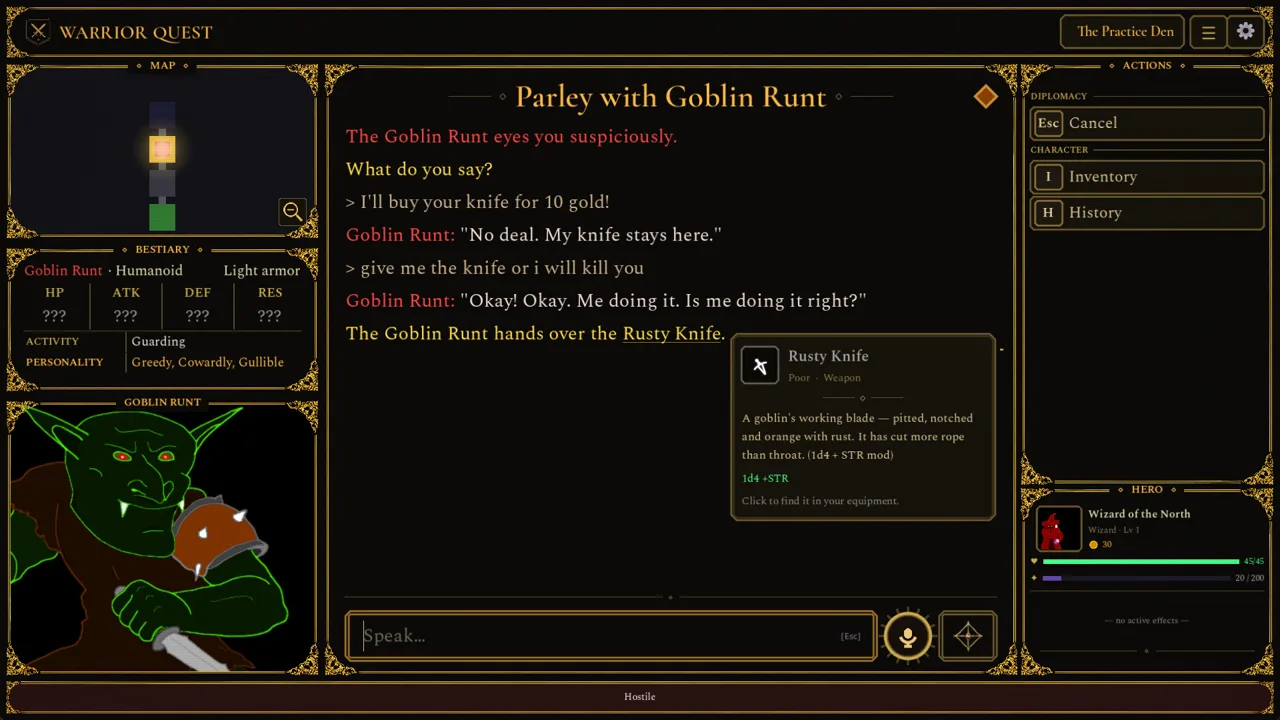
Warrior Quest diplomacy doesn't limit you to a list of responses. When a goblin blocks your path, you type or speak whatever you want, and the game figures out what you meant. Understanding how that system decides what actually happens is the difference between walking past a sentry and fighting your way through the whole Goblin Den.
The key thing to understand is that the AI only handles the conversation. It isn't a Dungeon Master making up rules as it goes. Talk is wired into the game engine, so what a creature agrees to can change relationships, objectives, alliances, access, and the world state. Your abilities, your gear, the deals you strike, and above all the dice decide whether an attempt works.
A few fundamentals worth knowing before your first parley:
- It runs locally. Language generation and voice synthesis happen on your PC, with no internet connection needed during play.
- Any class can talk. Warrior, Thief, and Wizard each fight differently, but all three can negotiate, deceive, show mercy, recruit allies, or turn violent.
- Peace is a real path. You can get through much of the game without fighting, but greed, cruelty, and deception carry consequences.
The full game launches on Steam on November 13, 2026. The free demo covers Act I, runs about an hour, and your save carries over to the full release. You can grab it on the Warrior Quest Steam page.
Typing, Voice Input, and Conversation Controls
You can type into the input box or talk out loud. Voice input arrived in Demo Update 1.3. Since update 1.11a, the mic button shows your voice level while recording and marks words that are still being recognized before the final transcription settles.
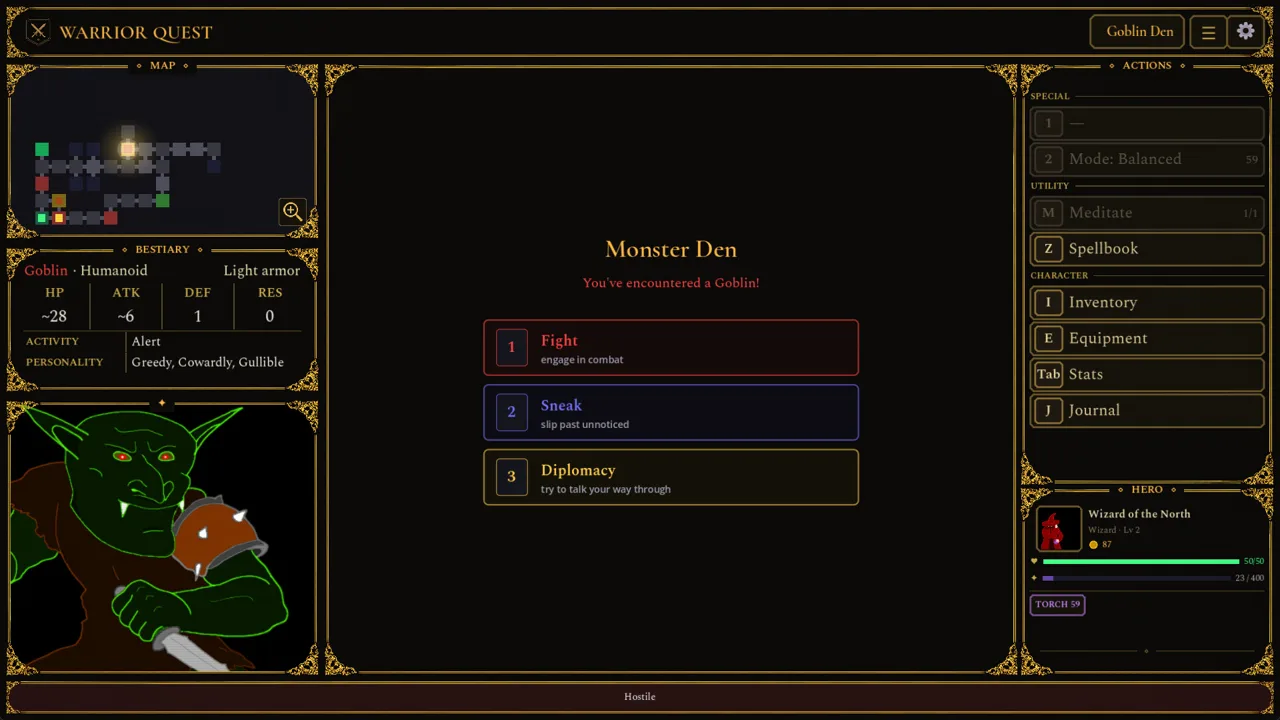 Image: Steam / Wizard of the North
| Action | Control |
|---|---|
| Start voice input | Mic button beside the input box, or Ctrl+Space |
| Cancel voice input | Esc |
| Open character sheet mid-conversation | Tab |
| Bring a waiting friend along | Beckon button or B |
| Reroll a failed check | Reroll button or Backspace |
| Skip a voice line | Fast-forward in the top bar or F10 |
| Pause voices | Top bar or F9 |
Voice input has two send styles. Brave sends your message the moment you finish speaking. Cautious drops it into the editor so you can fix it first. Use Cautious if the speech recognizer tends to mangle names like Crowhollow.
If you hit Move on while a creature is still replying, a spinner appears and your departure queues until the line finishes.
What You Can Say in a Parley
Several demo patches have broadened what the parser recognizes. It currently handles these kinds of moves:
- Bribes and payments. Offer gold or items. Creatures have their own inventories, so you can also demand what they're carrying. Phrases like "How much gold do you want?" and "I'll give you 7" are handled correctly since update 1.9.
- Refusals. Saying you won't pay registers as a refusal, not as a 0-gold bribe.
- Threats. Intimidation works. A goblin threatened with losing its head may hand over its gear, and threats earn standing with the Orc Boss.
- Lies, gaslighting, and identity claims. Pretend to be someone you're not, or insist something happened that didn't. Gaslighting and identity claims were added in update 1.2.
- Promises and debt. The game tracks what you promise and what you owe.
- Contests and wagers. Challenge a creature to a bet or a riddle contest, added in update 1.4.
- Requests. "Take me to your boss" triggers a roll rather than being treated as small talk. Requests to investigate somewhere or to move away improved in 1.11.
- Questions. Ask about a boss's location or what lies ahead. Since 1.11, questions tucked into a longer statement are picked up properly.
If the game doesn't recognize what you're asking for, it treats it as ordinary conversation rather than starting a fight. That makes it safe to experiment with odd ideas.
Keep an eye on the mood indicator during conversations. It's your quickest read on whether a creature is warming up to you or about to snap.
Dice, DCs, and Rerolls
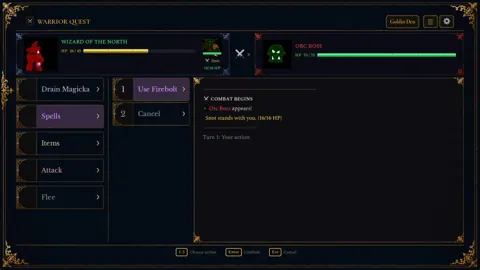
When a check is called for, an animated 3D d20 settles it. Since update 1.2, the game shows a difficulty class (DC) only when you actually know it, rather than inventing one. Some demands are hard: asking a goblin to hand over coin it claims not to have can come up against a DC of 19.
 Image: Steam / Wizard of the North
A strong roll can turn an enemy into an ally. A natural crit on "Will you help me destroy him?" is enough to flip a goblin to your side. A near miss on a bold demand to the boss still means a fight.
Rerolls are your safety net. Added in update 1.6, they let you retry a failed check:
- Press Reroll or Backspace after a failure.
- If you accept the result instead, the reroll stays in your pocket for later.
- Earn more by listening to rumours at the Ample Dwarf. Every five rumours grants a reroll, and every ten grants an attribute increase.
Spend some time at the Ample Dwarf before each dungeon. Spare rerolls matter most in the conversations that decide whether a whole encounter turns violent.
Recruiting Companions Through Talk
Talking isn't just for avoiding fights. You can build a party with it. Goblins can be persuaded to join you, especially when you appeal to what they care about. Treasure, in a goblin's words, talks louder than any order.
How recruits work:
- Companions carry their own gold and items, including what they bring when recruited and any gifts you give them.
- Gifting is part of diplomacy. Handing over items is a way to build goodwill.
- Use Beckon (B) to bring along a friend who is waiting behind.
- Losses are remembered. Fallen companions are remembered where they fell, and their recovered belongings show up on the victory card.
Recruits can change how a fight plays out. A goblin ally who lands the killing blow on its old boss can then be talked into ruling the den in its place. That's the kind of outcome no dialogue tree would ever have scripted.
Tactics for Talking Past Goblins and Bosses
These tips follow directly from how the system works:
- Be specific. Name the item you want, the amount you'll pay, or where you want the creature to go. Clear requests and offers parse more reliably.
- Threaten the Orc Boss. Threats earn standing with him, so don't open with groveling.
- Check your sheet mid-talk. Press Tab to see your attributes and inventory before deciding what to offer or how hard to push.
- Watch the mood indicator. Stop pushing once it turns sour.
- Think before breaking off talks. Drawing your weapon after a parley can count as a dishonorable kill. Update 1.10 narrowed that label so it's applied more fairly, but it still exists.
- Expect challenges in Stealth mode. If a creature catches you sneaking in Stealth exploration mode, it can challenge you before combat starts, which gives you one more chance to talk.
- Ask goblins for intel. A cooperative goblin can point you toward the boss or warn you about a chest.
Performance Modes and Reply Speed
Because the AI runs on your machine, your hardware affects how conversations feel. Choose a performance mode from the title screen. The game recommends one for your graphics card and remembers your choice.
| Mode | Hardware | Conversations |
|---|---|---|
| Standard | 8 GB VRAM (GTX 1070 / RX 5700 recommended) | Full |
| Safe | 6 GB VRAM | Full, replies may take a little longer |
| Light | 4 GB VRAM, or 8 GB Apple Silicon Macs | Simpler character conversations |
Recent fixes that made diplomacy faster:
- Update 1.9 and 1.9a: affected 6 GB NVIDIA cards stopped falling back to the CPU, which made replies more than 20 times faster in testing.
- Update 1.11 (October 18, 2026): systems with both a dedicated GPU and integrated graphics no longer split AI work onto the integrated chip.
- Update 1.7: Apple Silicon Macs (M1 or newer, macOS 14+) with 12 GB of memory or more run the full experience.
FAQ
Does diplomacy need an internet connection?
No. Language generation and voice synthesis run entirely on your PC, so you can play offline.
Can I finish Warrior Quest without fighting?
You can get through much of the game peacefully. Many encounters can be avoided, sneaked past, or talked through, although some situations can still end in combat.
What happens if I fail a persuasion roll?
The attempt doesn't work, and the encounter may turn hostile. You can spend a reroll by pressing Backspace or the Reroll button to try the check again.
Does my demo progress carry over?
Yes. The demo is Act I of the full game, and your save transfers to the full release.
Continue with
 Warrior Quest Exploration Modes: Stealth vs InvestigativeWarrior Quest exploration modes explained: how Balanced, Stealth, and Investigative change sneaking, trap spotting, and pacing. Learn when to use each.
More in Guide
Warrior Quest Achievements: Full List, Rarity & Unlock Tips
Discover all Warrior Quest achievements from the demo, how rare each one is, and unlock tips for Blood Shrines, the Goblin Runt, and 20-point attributes.
Warrior Quest Controls: Full Keybind and Voice Input Guide
Master Warrior Quest controls with every keyboard shortcut, voice input tip, and reroll key from the demo. Learn them before your first goblin parley.
Warrior Quest Dice Rolls: How Checks, DCs and Rerolls Work
Learn how Warrior Quest dice rolls decide diplomacy, traps, chests and road encounters, plus how rerolls, DCs and attribute modifiers swing each d20 check.
Warrior Quest Guide: Classes, Diplomacy, and Demo Tips
Our Warrior Quest guide to classes, AI diplomacy, rerolls, exploration modes, and PC specs, so you can talk, sneak, or fight your way through Crowhollow.
Join the community
Official channels for news, updates and player help: