Coming soon · Release date: November 13, 2026
UpdatedWarrior Quest Guide: Classes, Diplomacy, and Demo Tips
Our Warrior Quest guide to classes, AI diplomacy, rerolls, exploration modes, and PC specs, so you can talk, sneak, or fight your way through Crowhollow.
Jump to
What Makes This Dark-Fantasy Crawler Different
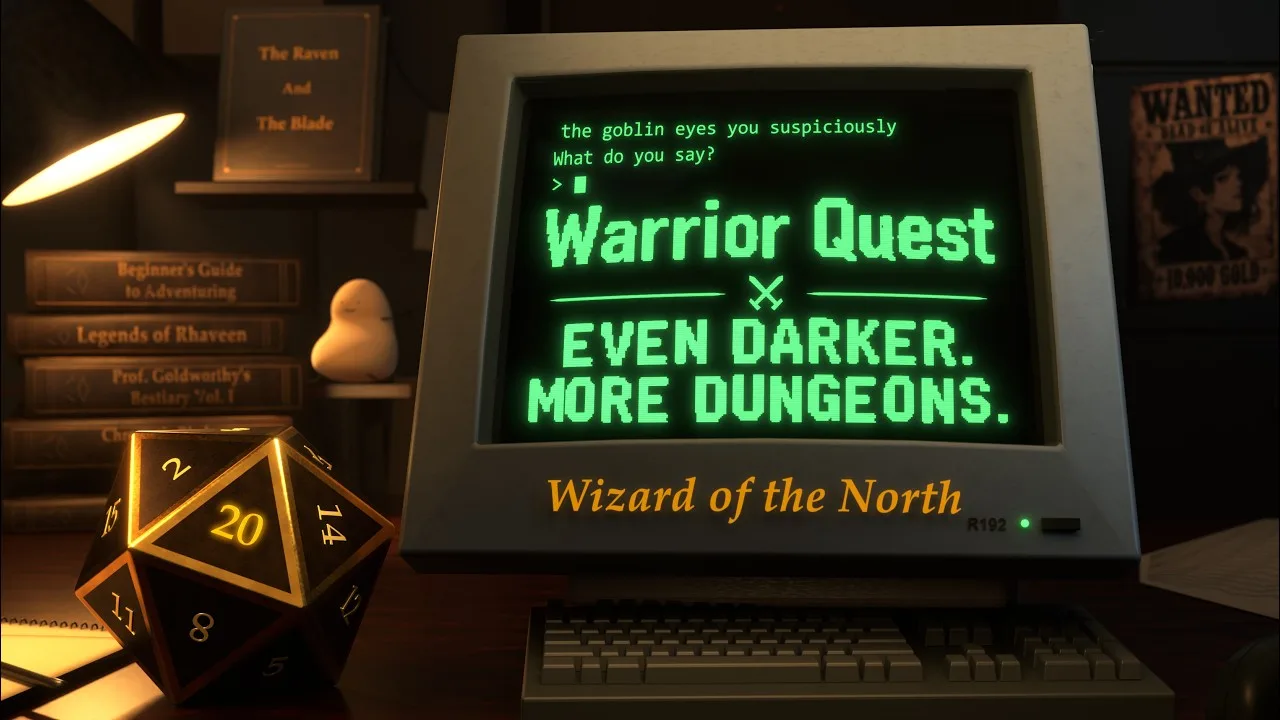
What would you say to a goblin if you could use your own words? This Warrior Quest guide covers what matters before you take that first step into the dark. You can type or speak anything to the creatures you meet, and the game actually acts on it. Warrior Quest calls itself a Living RPG. Its diplomacy is wired into the engine, so a deal, threat, or lie can change relationships, objectives, alliances, and access. Your stats, gear, and the dice decide whether it works.
The full game launches November 13, 2026, on Windows, macOS, and Linux. It comes from Wizard of the North, a solo developer from Iceland. The AI and voices run locally on your PC, so you don't need an internet connection while you play.
If you haven't played yet, start with the free demo. It covers Act I, runs about an hour, and your save carries over to the full release. Grab it from the Warrior Quest page on Steam.
Picking Your Class: Warrior, Thief, or Wizard
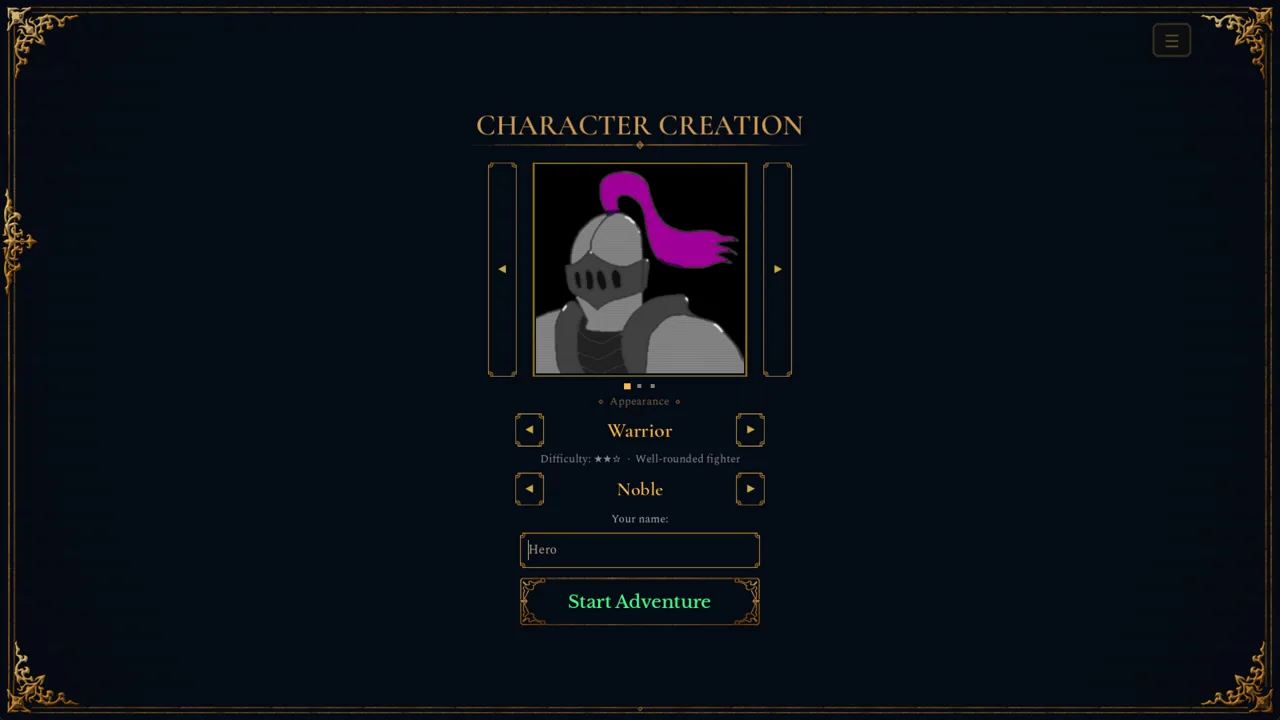
You choose one of three classes:
- Warrior
- Thief
- Wizard
Each class has its own abilities, equipment preferences, and approach to danger. Your class doesn't decide your personality, though. Any of them can negotiate, deceive, show mercy, recruit allies, or start swinging.
On the Warrior, the early toolkit includes Focus Strike, which makes your next attack deal 250% damage. You also get Victorious Slash, which now has its own finishing strike, and a heal. Razor Strikes hits for 150%, and a crit adds a second Bleed stack.
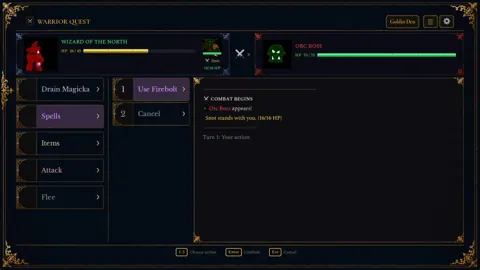
The Wizard's panel is labeled Spells rather than Abilities. When you level up, you pick from colored cards that separate abilities from attributes. Hover over a card to see its full rules.
Attributes are STR, DEX, INT, WIS, and CHA. Odd scores below 10 round down harshly: a 9 gives a −1 modifier. Push a stat you rely on to an even number when you can.
Talking Your Way Through Encounters
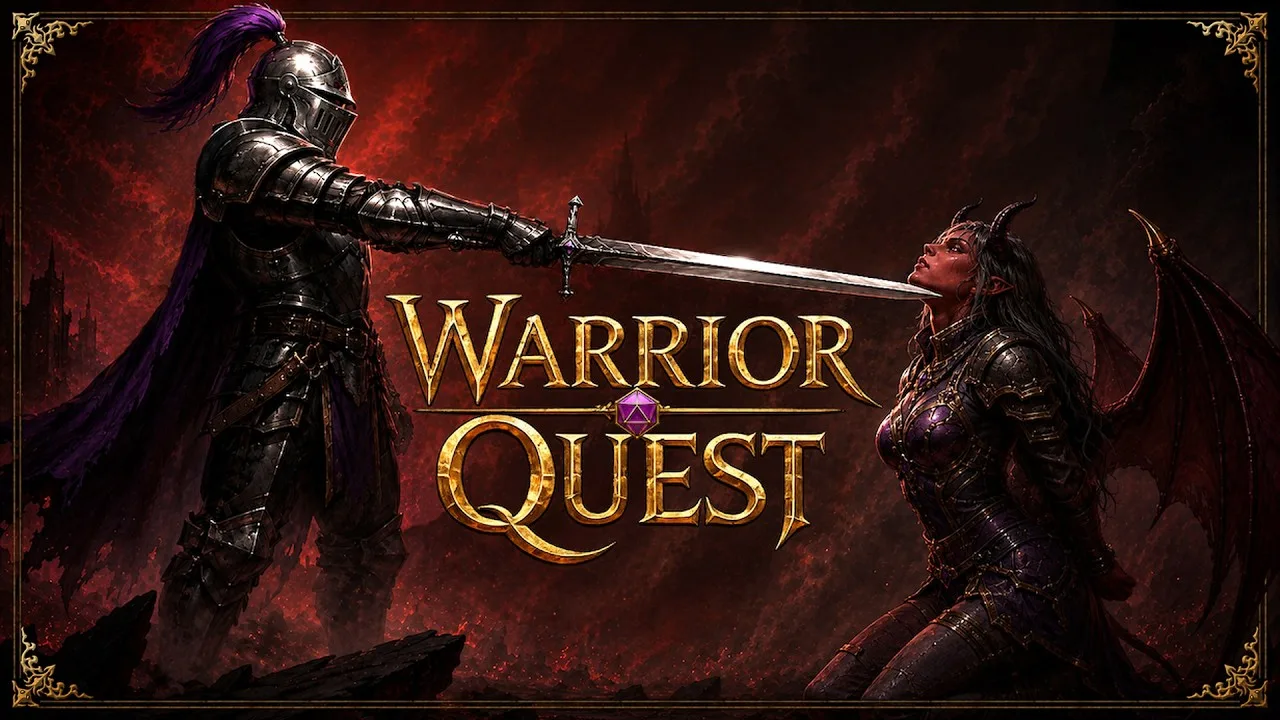
You can fight, avoid, sneak past, or talk through many encounters, and you can finish much of the game peacefully. Violence, deception, greed, and cruelty all have consequences.
Here's what the diplomacy system handles:
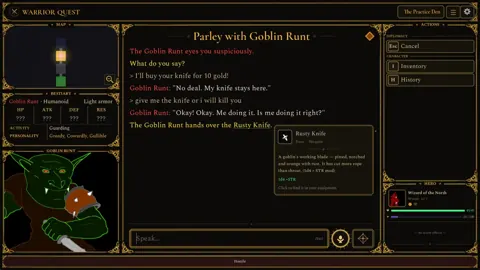
- Bribes and payments. Offer gold or items. If you flatly refuse to pay, the game reads that as a refusal, not a 0-gold bribe.
- Threats. Intimidation can make a weak goblin hand over loot or step aside. Against the Orc Boss, threats earn you standing.
- Lies, gaslighting, identity claims, and promises. The game tracks promises and debt, so a deal you make can come back to you.
- Contests and wagers. These include riddles.
- Recruitment. Talk a goblin into joining you, and they'll fight beside you. Companions carry their own gold and items, including anything they bring when recruited and any gifts you give them.
- Specific requests. "Take me to your boss" triggers a roll instead of being treated as small talk. Creatures will also point you toward hidden spots, like a chest they warn you about.
Watch the mood indicator during a conversation to see how things are going. Difficulty numbers (DCs) only appear when you know them, so a hidden DC means you're rolling blind.
A few practical tips:
- Be direct. Clear requests like "Get out of the way" or "Give me your armband" turn into rolls quickly.
- Rephrase when needed. If an ask isn't recognized, it lands as conversation instead of combat, so try saying it more directly.
- Try voice input. Click the mic button beside the input box. In Brave mode, your message sends instantly. In Cautious mode, it lands in the editor so you can fix it first.
Dice, Rerolls, and Tavern Rumors
Dice-roll cards appear for conversations, traps, chests, and road encounters, and each roll plays out on an animated 3D d20.
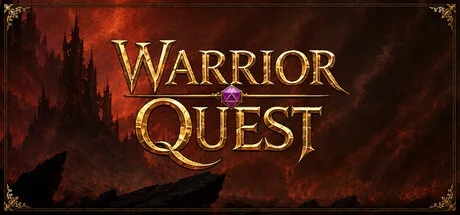 Image: Steam / Wizard of the North
If a check fails, spend a reroll. Click Reroll or press Backspace. If you accept the result instead, you keep the reroll for later.
You earn rerolls by listening to rumors at the Ample Dwarf tavern:
| Rumors heard | Reward |
|---|---|
| Every 5 | One reroll |
| Every 10 | One attribute increase |
Visit the tavern every time you're in town to bank rerolls before tough conversations. Turn on the optional Roll Marks if you want successes and failures tagged in the log.
Preparing in Crowhollow
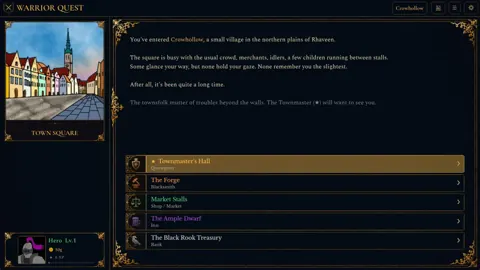
Your adventures begin in Crowhollow, a village in the northern plains. Before you leave town, work through it in this order:
- Townmaster's hall. Pick up your quest. In Act I, a goblin band led by a cruel orc boss has taken a child from an outer farm. Their den sits in a cave in the hills to the east. You'll also get the Beginner's Guide, which you can open from your portrait in the bottom-left corner.
- Forge. Upgrade your weapon or armor.
- Market. Buy potions, antidotes, and tools. Each restock includes two torches.
- Ample Dwarf. Listen to rumors for rerolls and attribute increases.
- Black Rook Treasury. Bank your gold. You earn interest once for each completed dungeon.
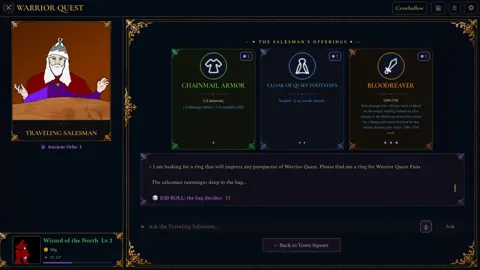
Keep an eye out for a traveling salesman's wagon. Its item cards use rarity colors and symbols, which makes it easier to compare wares. Shady strangers on the road may also hand you items with questionable uses. You decide whether to use them.
Exploring Dungeons Safely
You can switch between Balanced, Stealth, and Investigative exploration modes from the Mode button under Special:
- Stealth: automatically tries to sneak past creatures. If one catches you, it may challenge you before combat starts.
- Investigative: helps you spot traps.
Stealth and Investigative both take more time per step. Use Investigative in rooms that look trapped, and Stealth when you want to skip a fight.
More tips for dungeon crawling:
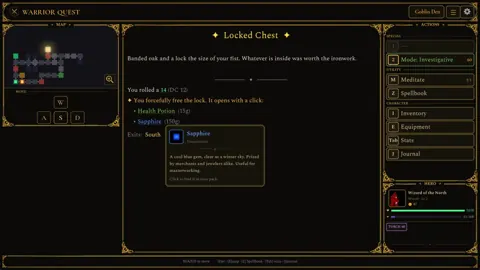
- Open locked chests carefully. The locked-chest card shows your chosen method, its difficulty, and how many lockpicks you have left. Smashing a chest open can damage what's inside.
- Rest at old campfires. If you have companions, you'll set aside a share of rations for them.
- Carry an antidote. The game gives you a hint the first time you're poisoned, and poison can last 30 ticks.
- Know how combat starts. An enemy's opening attack shows up as Turn 0, before your first turn.
- Track your objectives. Check the Journal (J) for quest goals. If you leave through a dungeon's entrance, you'll see a summary of anything still unfinished.
Useful Controls
| Action | Key |
|---|---|
| Voice input (start / cancel) | Ctrl+Space / Esc |
| Reroll a failed check | Backspace |
| Open the Journal | J |
| Bring a waiting companion along | B |
| Open the character sheet during diplomacy | Tab |
| Open the character sheet in town | I, E, or Tab |
| Pause voice / skip voice lines | F9 / F10 |
| Tavern options at the Ample Dwarf | 1, 2, 3 |
| Chests, rest, pray, stairs, roll | Space or Enter |
System Requirements and Performance Modes
| Minimum | Recommended | |
|---|---|---|
| OS | Windows 10 64-bit | Windows 10 64-bit |
| CPU | i5-4460 / Ryzen 3 1200 (4c, AVX2) | i5-4460 / Ryzen 3 1200 (4c, AVX2) |
| RAM | 8 GB | 8 GB |
| GPU | GTX 1060 / RX 5600 (6 GB VRAM) | GTX 1070 / RX 5700 (8 GB VRAM) |
| DirectX | Version 12 | Version 12 |
| Storage | 12 GB | 12 GB |
You choose between Standard, Safe, and Light performance modes on the title screen. The game recommends one for your graphics card and remembers your choice.
- Safe: runs full conversations on 6 GB cards. Replies may take a little longer.
- Light: for 4 GB cards. It's fully playable, but characters give simpler replies.
On Mac, you need an Apple Silicon chip (M1 or newer) running macOS 14 or later. Macs with 12 GB of memory or more run the full experience, and 8 GB Macs use Light mode.
If your PC has both a dedicated and an integrated GPU, Update 1.11 (October 18, 2026) stops the game from splitting AI work onto the integrated chip. That makes diplomacy faster on those machines.
Continue with
 Warrior Quest Achievements: Full List, Rarity & Unlock TipsDiscover all Warrior Quest achievements from the demo, how rare each one is, and unlock tips for Blood Shrines, the Goblin Runt, and 20-point attributes.
More in Guide
Warrior Quest Controls: Full Keybind and Voice Input Guide
Master Warrior Quest controls with every keyboard shortcut, voice input tip, and reroll key from the demo. Learn them before your first goblin parley.
Warrior Quest Dice Rolls: How Checks, DCs and Rerolls Work
Learn how Warrior Quest dice rolls decide diplomacy, traps, chests and road encounters, plus how rerolls, DCs and attribute modifiers swing each d20 check.
Warrior Quest Diplomacy Guide: Bribe, Bluff, and Recruit
Master Warrior Quest diplomacy: how free-form talk, dice rolls, bribes, threats, and recruiting work, plus tips to talk your way past goblins and bosses.
Warrior Quest Exploration Modes: Stealth vs Investigative
Warrior Quest exploration modes explained: how Balanced, Stealth, and Investigative change sneaking, trap spotting, and pacing. Learn when to use each.
Continue exploring
Warrior Quest Steam Release: Launch Date, Specs, and Demo
Warrior Quest hits Steam on November 13, 2026. Get the launch details, PC and Mac specs, demo save carryover, and how its say-anything AI diplomacy works.
Warrior Quest Characters Guide: Classes, Companions & NPCs
Our Warrior Quest characters guide covers the Warrior, Thief and Wizard, attributes, recruitable companions and the Crowhollow NPCs you'll meet. Read on!
Join the community
Official channels for news, updates and player help: